Slides to TV
IT'S NOT SIGNAGE. IT'S HELP.

Who’s going to make your TV slides? We are.

Tell us what’s happening — a few plain questions or a photo of your flyer. We make the slide, someone you trust approves it, it plays on your TVs, and you get proof it ran.

Made for you. Checked before it airs. Proven after it plays. One flat price for your whole place.

Bring your own menu, flyer or safety topic — we’ll put it on a screen while you watch.

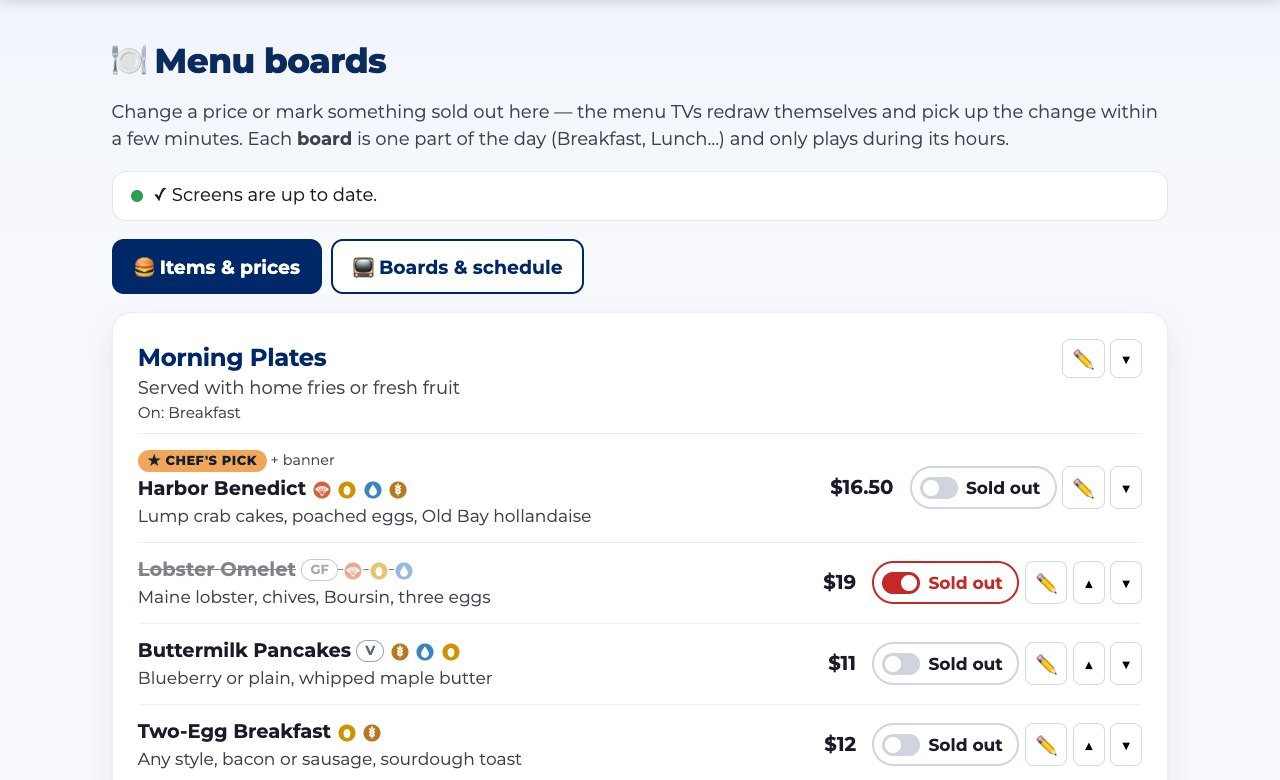
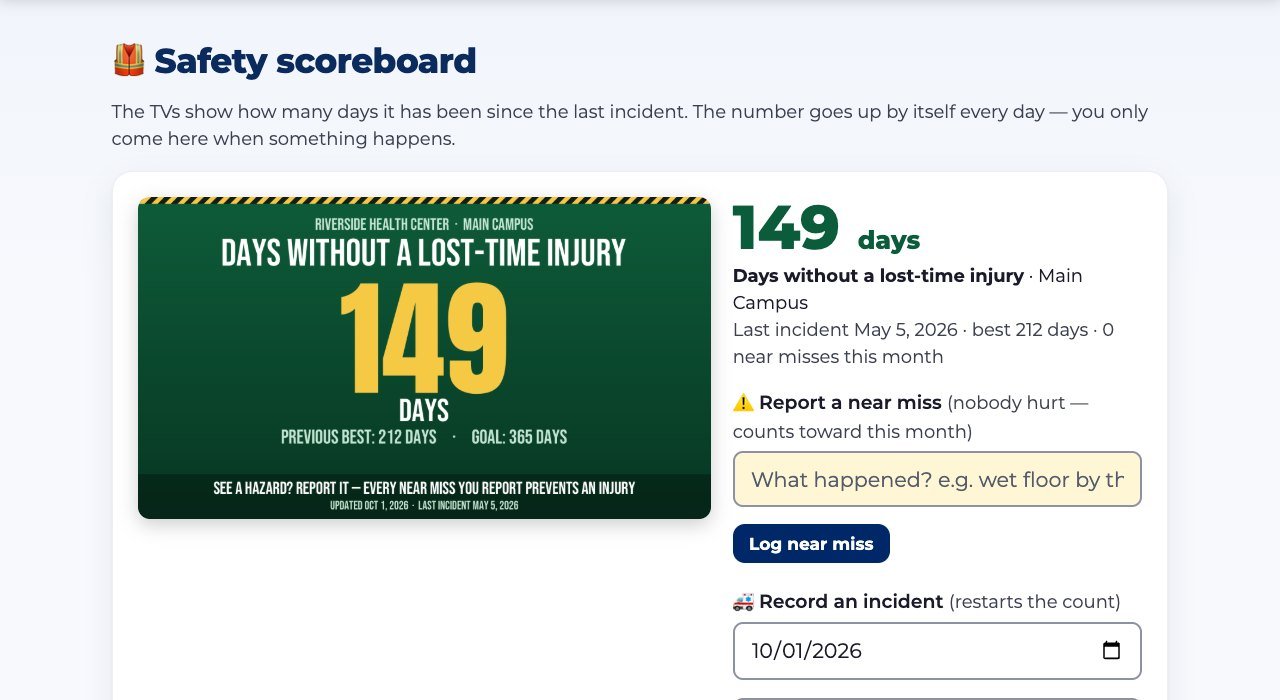
A breakfast menu board with allergen icons, a Chef’s pick and a sold-out item A free flu shot clinic announcement A days-without-an-injury safety scoreboard A Queen of Hearts drawing results slide
Every showing recorded

Real slides made in Slides to TV — menus, notices, scoreboards and more.

STRAIGHT ANSWERS

The six questions everyone asks. Answered for your kind of place.

Pick the kind of place you run — every answer changes to match.

A breakfast menu board with allergen icons and a Chef’s pick A free flu shot clinic announcement A Queen of Hearts drawing results slide A church welcome slide with service times
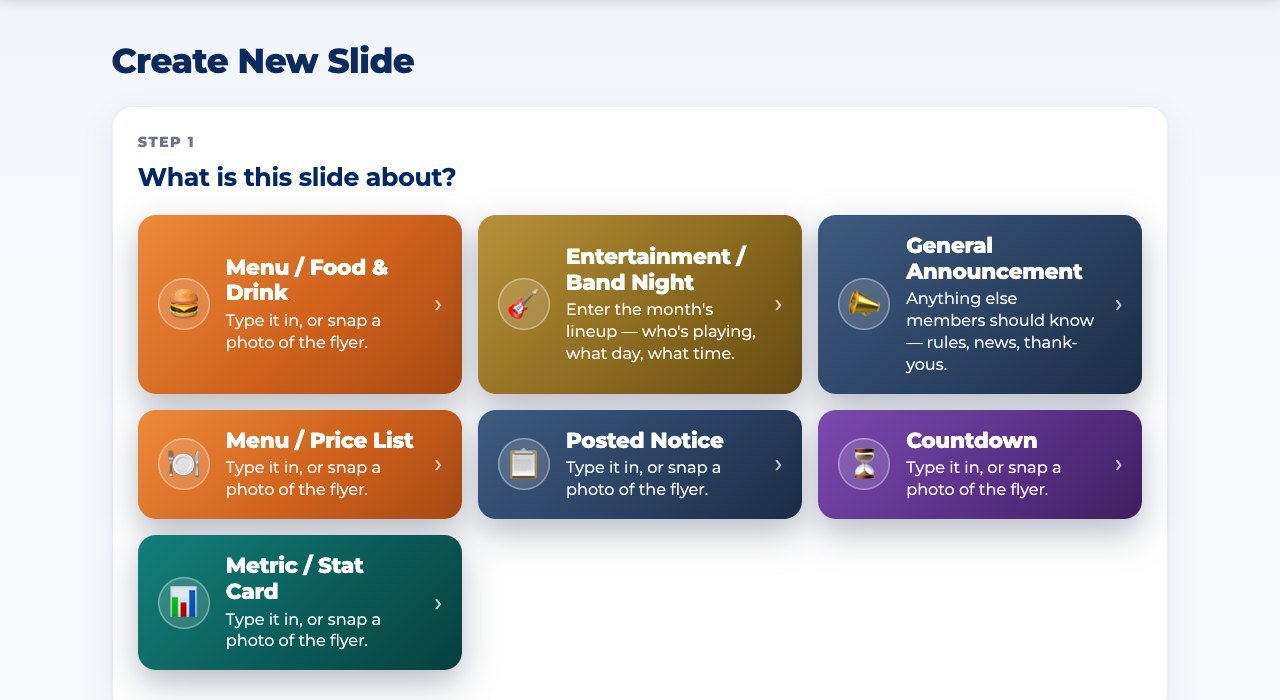
Create: pick what the slide is about and answer a few questions
Real slides on real TVs — made from a few plain questions in the app. Tap a picture to see it full-size.

Who’s going to make the slides?

You don’t — the app does.

Answer a few plain questions, or snap a photo of a paper flyer, and a finished slide is ready in about a minute. No designer, no PowerPoint.

See how →

Is it built for a place like mine?

Yes — it sets itself up for your kind of place.

Tell it what kind of place you are and you get your own home page, help, starter categories and tools. Those tools come with every plan.

See how →

Who checks what goes up?

You decide.

Staff and volunteers make slides; nothing plays until an approver says so. Send one back with a note, or let trusted people post directly.

See how →

What do I have to buy?

Probably nothing.

Use the TVs you already have: plug in a $20 streaming stick or open a web browser on a smart TV. One price for your whole business, every location included.

See how →

Can I prove it actually ran?

Yes — with Pro, every showing is recorded. Pro

Each TV counts what ran, how often, for how long and on which screen — even through an internet outage — and it becomes a PDF report. Every plan shows what’s playing on each screen, live.

See how →

Will it look like us?

Yes — it’s your brand, not ours.

Your colors, logo and artwork. Upload a background, mark where the words go, and every slide lands there. Our name never appears on your slides.

See how →

See everything that’s included →

HOW IT WORKS

So what would you actually have to do?

1

Say what's happening

Answer a few plain questions, snap a photo of a flyer, or bring the slides you already made in PowerPoint or Canva. A finished slide in about a minute.

2

Someone you trust says OK

An approver checks it — or trusted people post directly. Then it goes to the right TVs: bar, dining room, lobby, break room.

3

Get the receipts

Every screen reports what it displayed. Print it, email it monthly, or hand an advertiser their numbers.

SEE THE REAL THING

Real slides. The real app.

Nothing here is a mock-up. Tap any picture to see it full-size.

A breakfast menu board with allergen icons
A free flu shot clinic announcement
A days-without-an-injury scoreboard
A live music night announcement
A Queen of Hearts drawing results slide
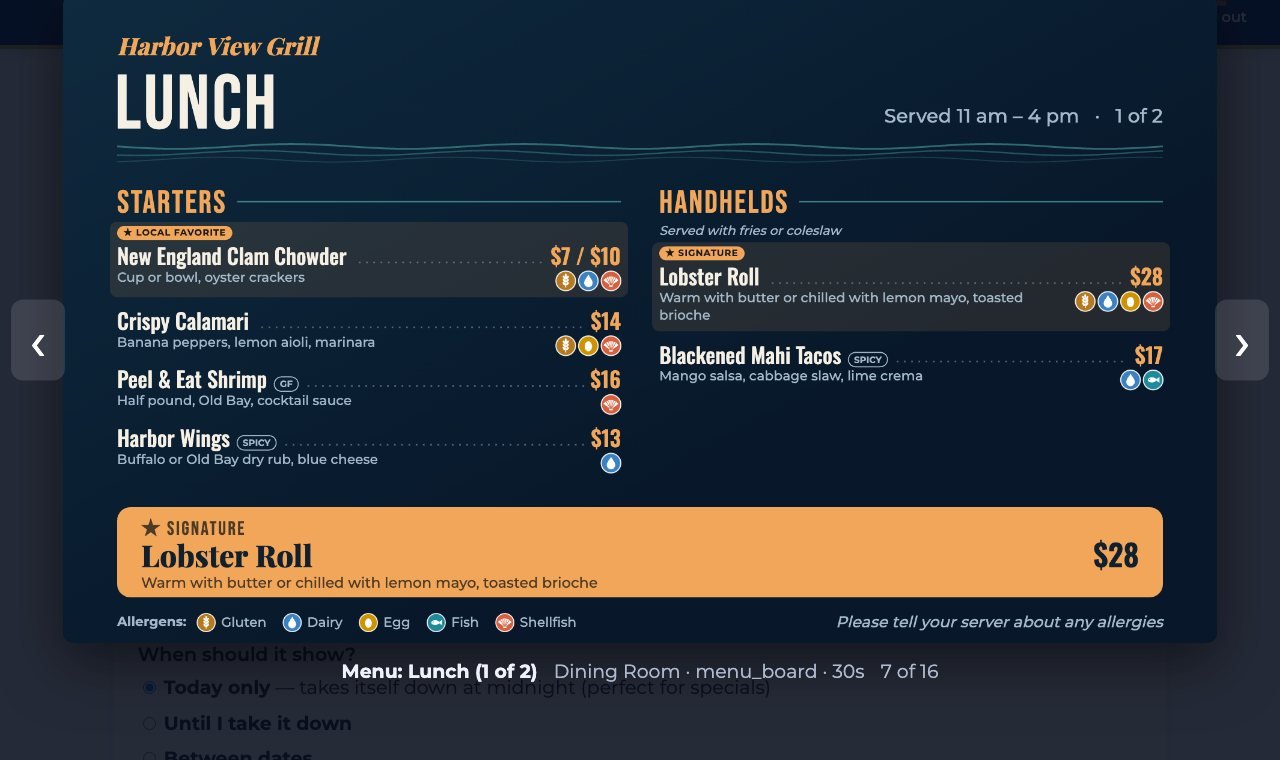
A lunch menu board
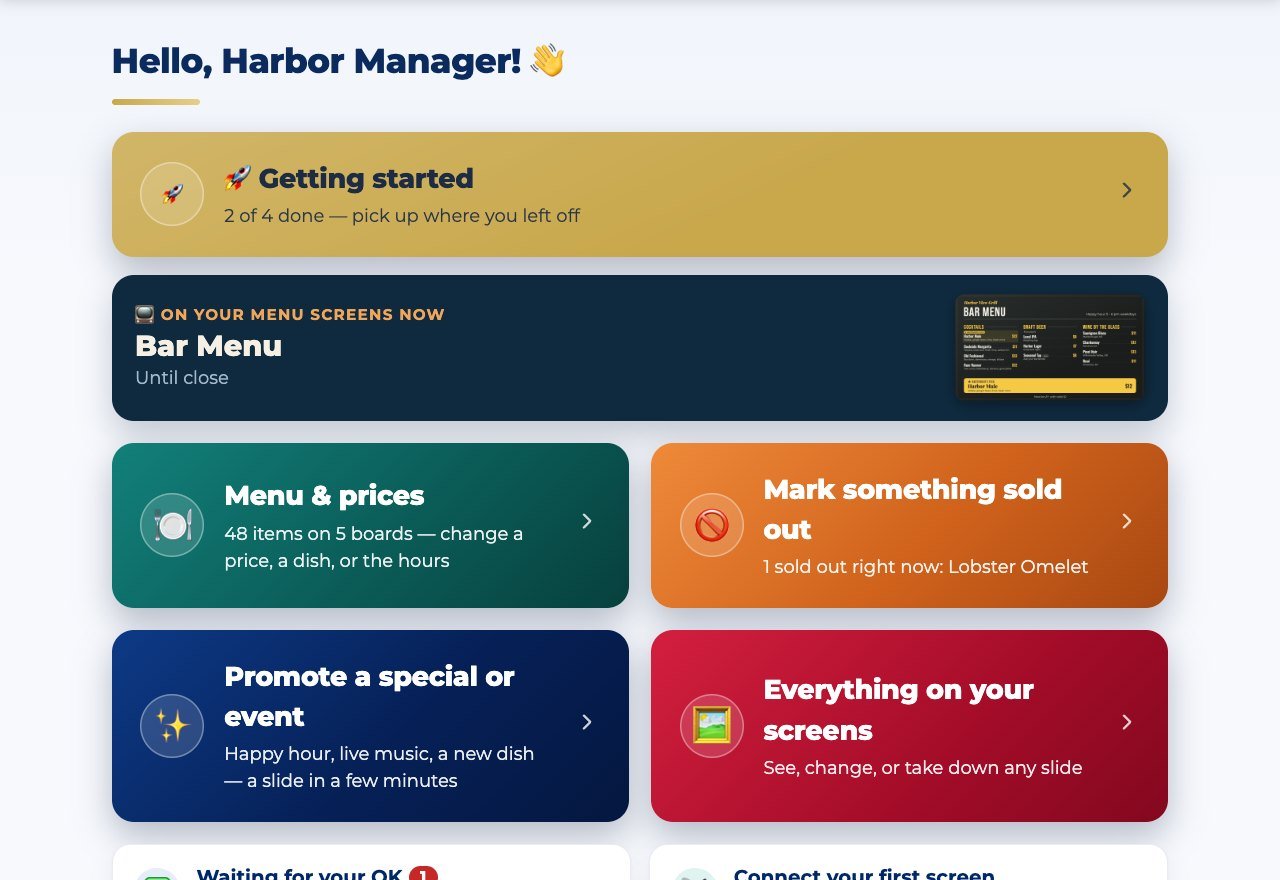
A restaurant’s home page

A restaurant’s home — what’s on the menu screens right now

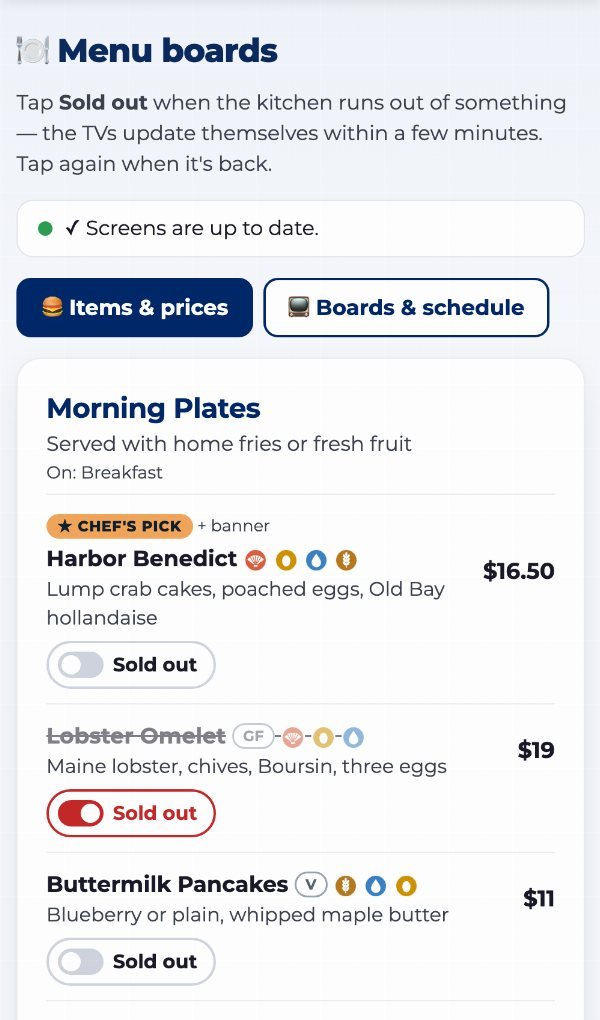
The menu boards page

Menu boards — every daypart, wide and tall, previewed

A menu board opened full-size

Click any slide to see it exactly as the TVs show it

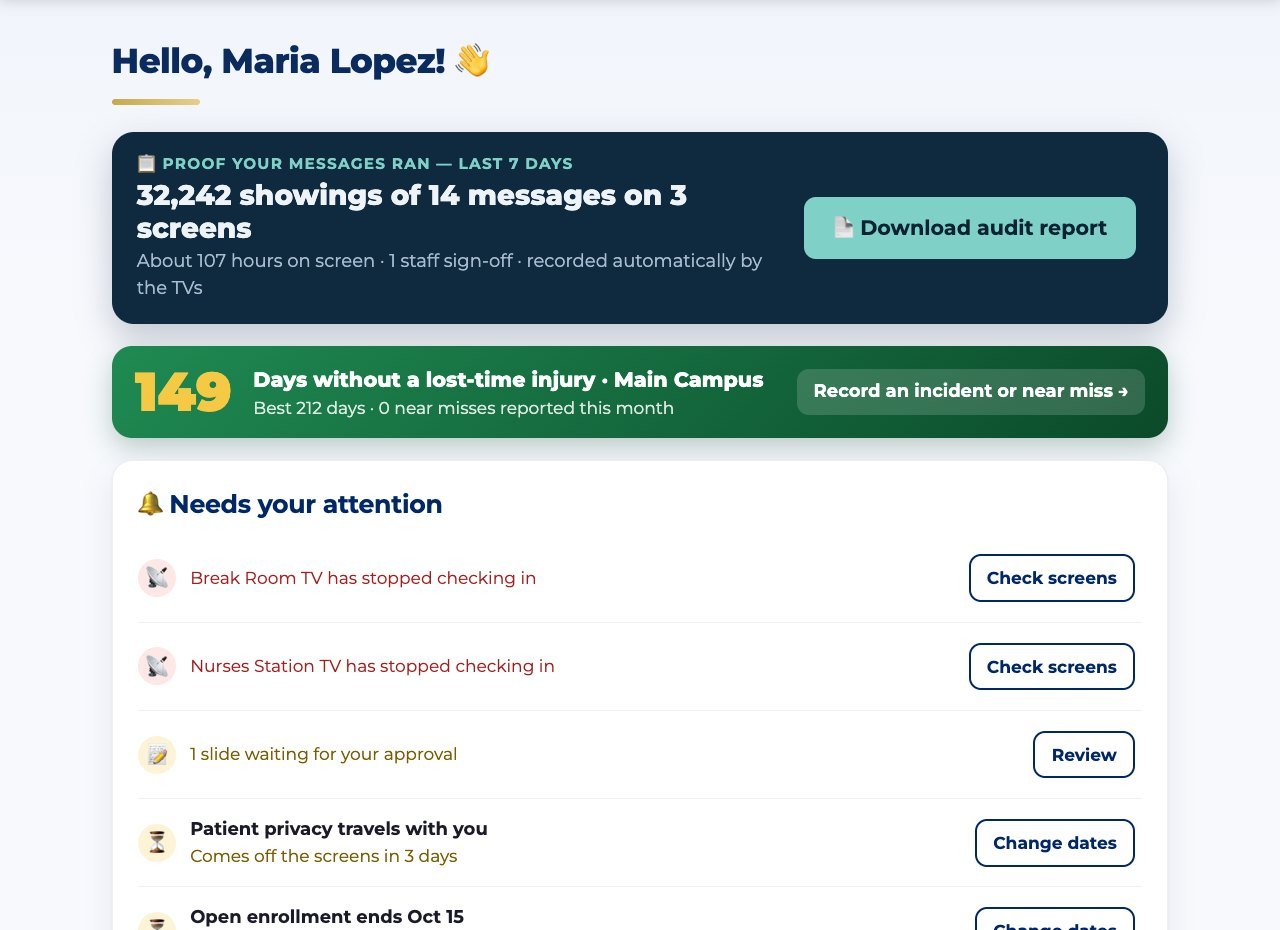
A clinic’s compliance dashboard

A clinic’s home — proof, the scoreboard, what needs attention

The safety scoreboard page

The safety scoreboard — record an incident or a near miss

Choosing what a new slide is about

Create — pick what it’s about and answer a few questions

WHO IT’S FOR

Find your kind of place.

Each one has its own tools, its own home page and its own story.

SIMPLE PRICING, ONE ACCOUNT

One price for your whole business — every location included.

Priced by how many TVs you run, not where they are. Pro is the restaurant plan: menu boards that run themselves, plus the tools that make money and prove it.

See the plans → Everything in each plan →

One account covers all your locations — priced by how many TVs, not where they are · Extra TVs $9 a month each, up to 12 · A manager at each location? Each gets its own account, 25% off after the first · Nonprofit posts, lodges and churches: the Community plan, $49 a month for up to 5 TVs with the advertiser program · Pay yearly: 2 months free, your first streaming stick included, and we build your boards

QUESTIONS

What people ask before they sign.

What does it cost?

One price for your whole business, every location included — priced by how many TVs: Starter $49 a month for up to 3, Pro $89 a month for up to 5 with menu boards, or pay yearly and get 2 months free. See the plans; a 15-minute demo will tell you exactly which one fits.

Which TVs work?

Almost any. Plug a $20 streaming stick into the TV and install our app from Google Play, or open a web browser on a smart TV or a computer. Type a short code and it’s connected. Wide or mounted tall — both work.

Do I need someone technical?

No. Everything is plain questions and big buttons, built for volunteers and busy managers. If you’d rather not touch it at all, our concierge setup connects your TVs and brings in your slides for you.

We already have slides. Do we start over?

No. Save your PowerPoint, Canva or Google Slides as a PDF and upload it once — every page becomes a slide. Upload it again later and the slides update in place, keeping their schedule and screens.

What happens if the internet goes down?

The TVs keep playing what they already have, keep counting what they show, and catch up the moment the connection is back. After a power cut they restart and carry on by themselves.

How fast can we be up and running?

Most places have a TV playing their own slides the same day. Menu boards start from a finished sample you edit, and a safety scoreboard takes about a minute.

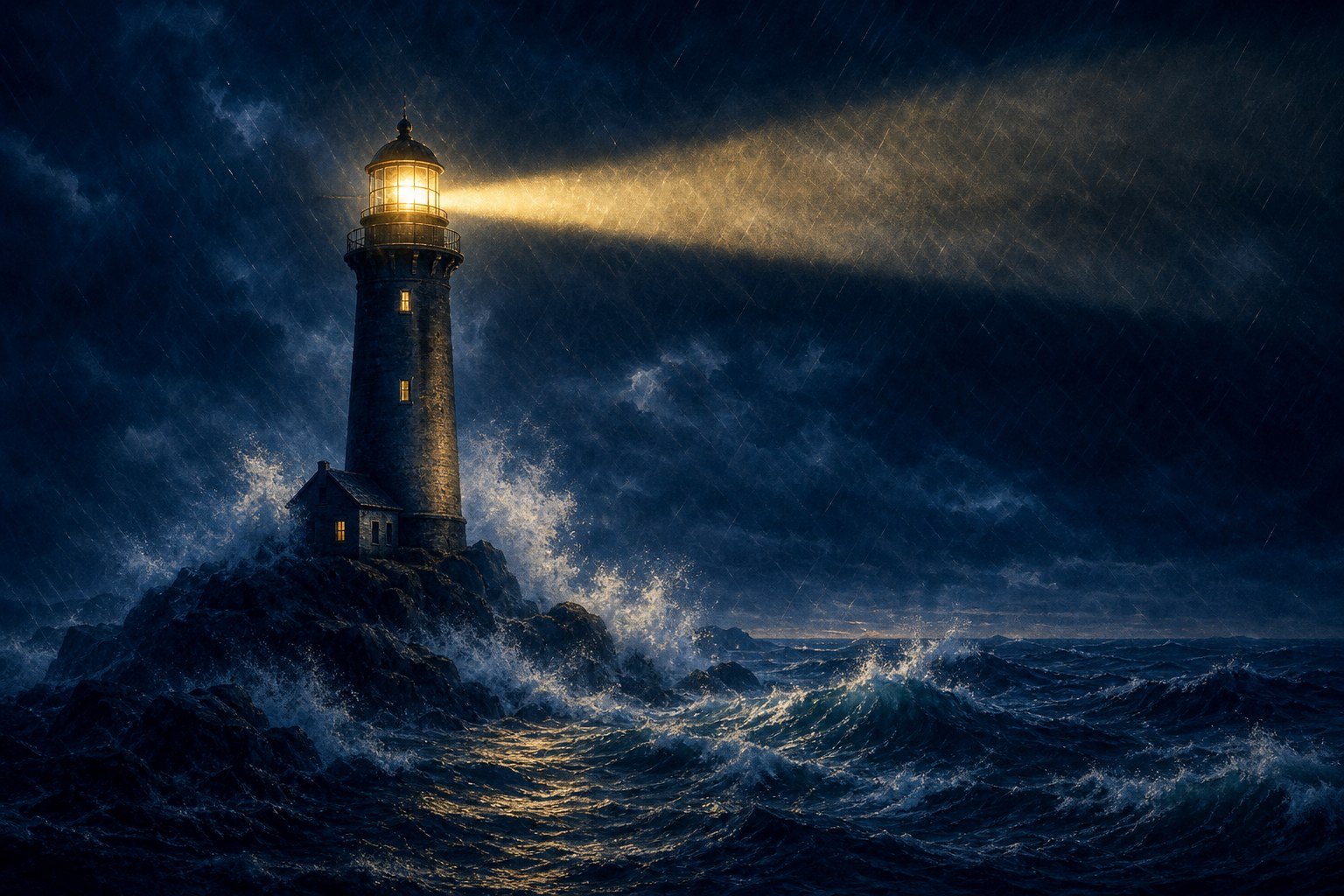
A lighthouse holding its beam through a storm at night
OUR STORY

A tradition of service. The light stays on.

Slides to TV is built by a Coast Guard veteran with a career in contract management and process improvement — and it started at a community post full of volunteers. The light stays on, every extra step is friction, and if it isn’t written down, it didn’t happen.

Read our story →

See it with your own content.

Fifteen minutes. Bring a menu, a safety topic or a flyer — we’ll put it on a screen while you watch.