 Slides to TV
Who’s going to make the slides?
You pick the topic — it’s built for you.
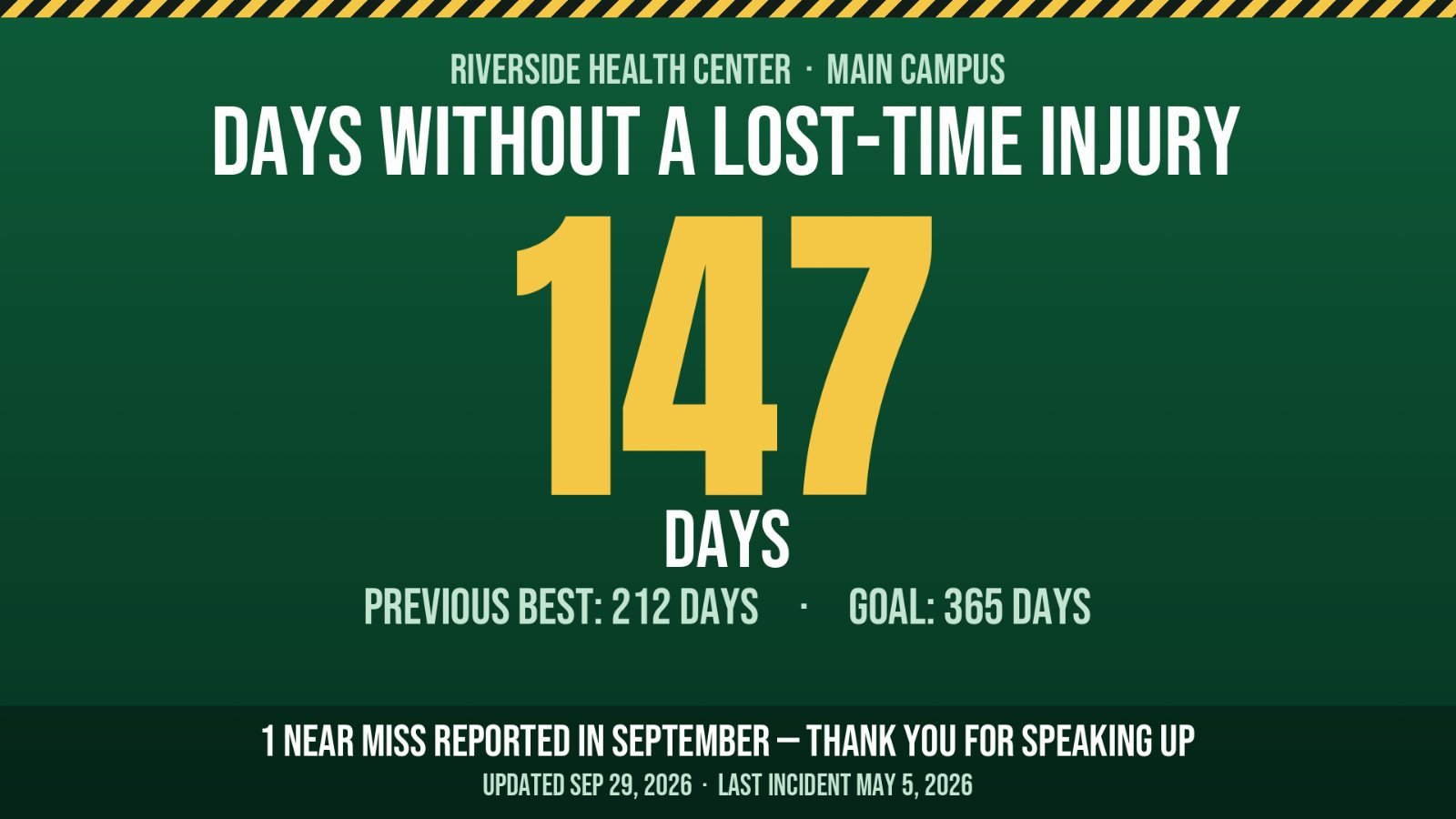
Type the safety message and the slide is made for you. The days-without-an-injury scoreboard keeps its own count.
Posters get ignored. Emails go unread. When an auditor, an inspector, or a lawyer asks how your people were told — you need more than "we hung it in the break room." Slides to TV loops your safety, hygiene, and HR messages where people actually look, and keeps an automatic record that every one of them ran.


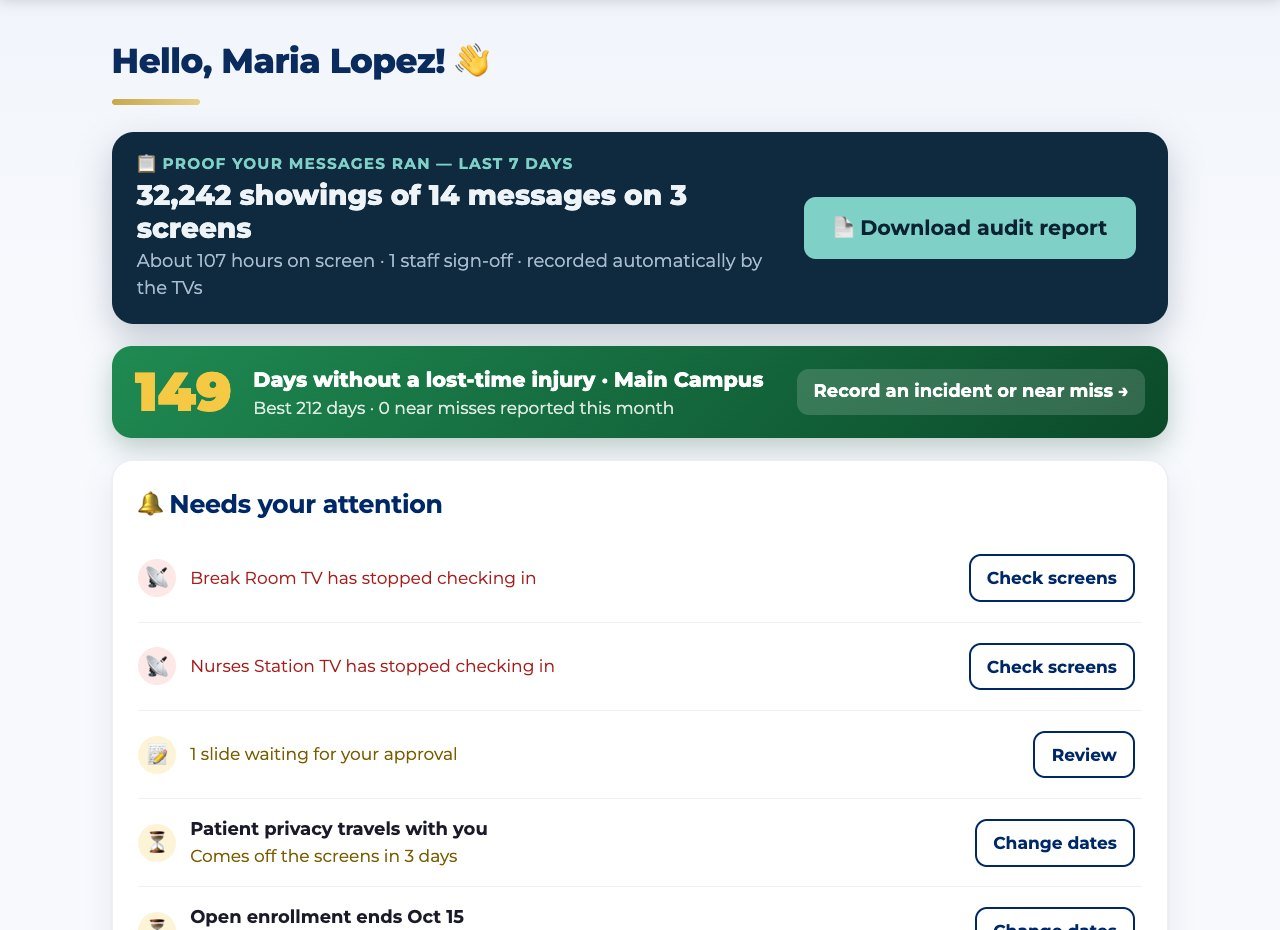
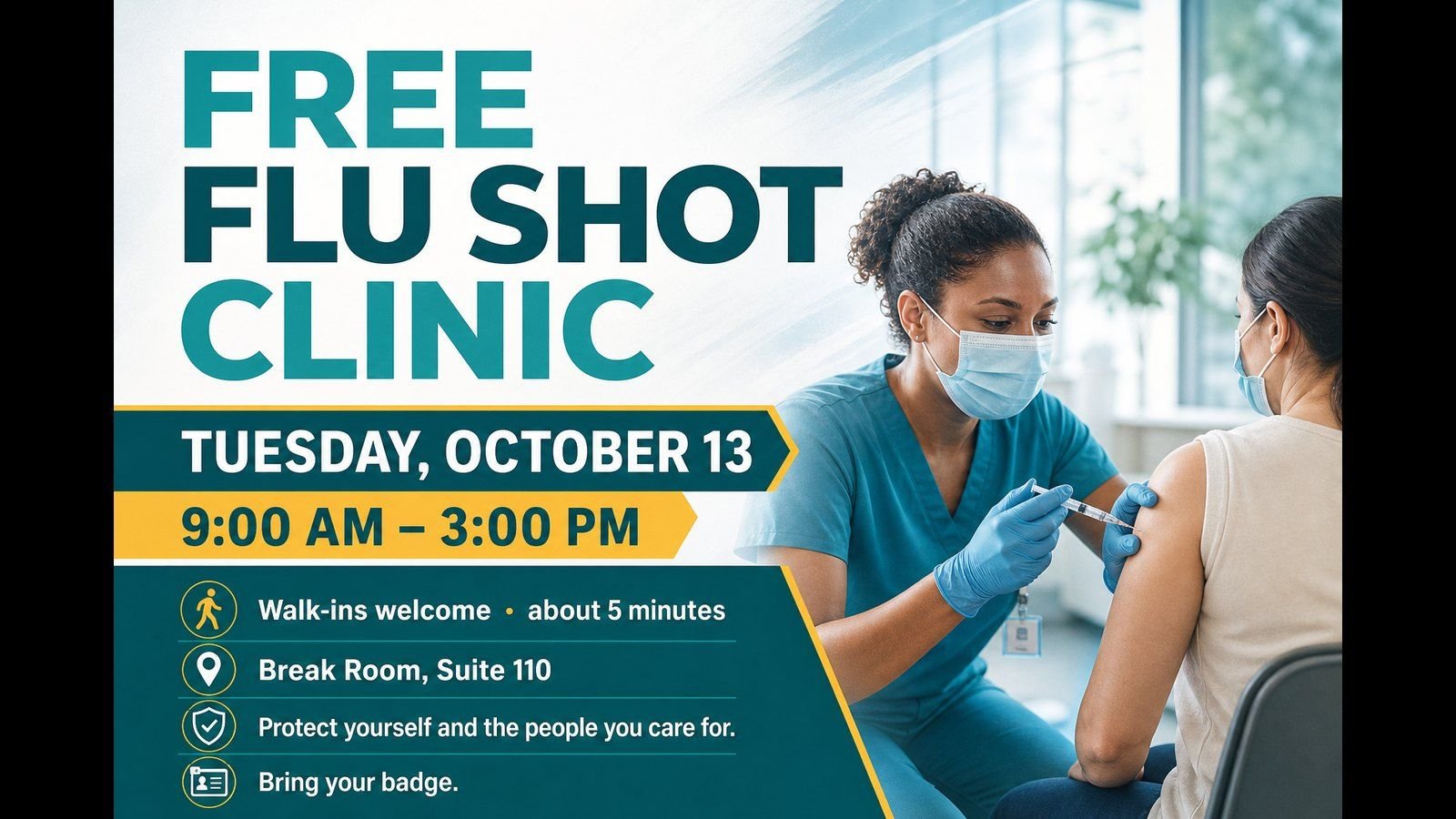
Break rooms, lobbies, behind the counter — your TVs are the one surface everyone glances at every day. Rotate handwashing reminders, incident procedures, benefits deadlines, and this month's safety topic without printing a single poster.
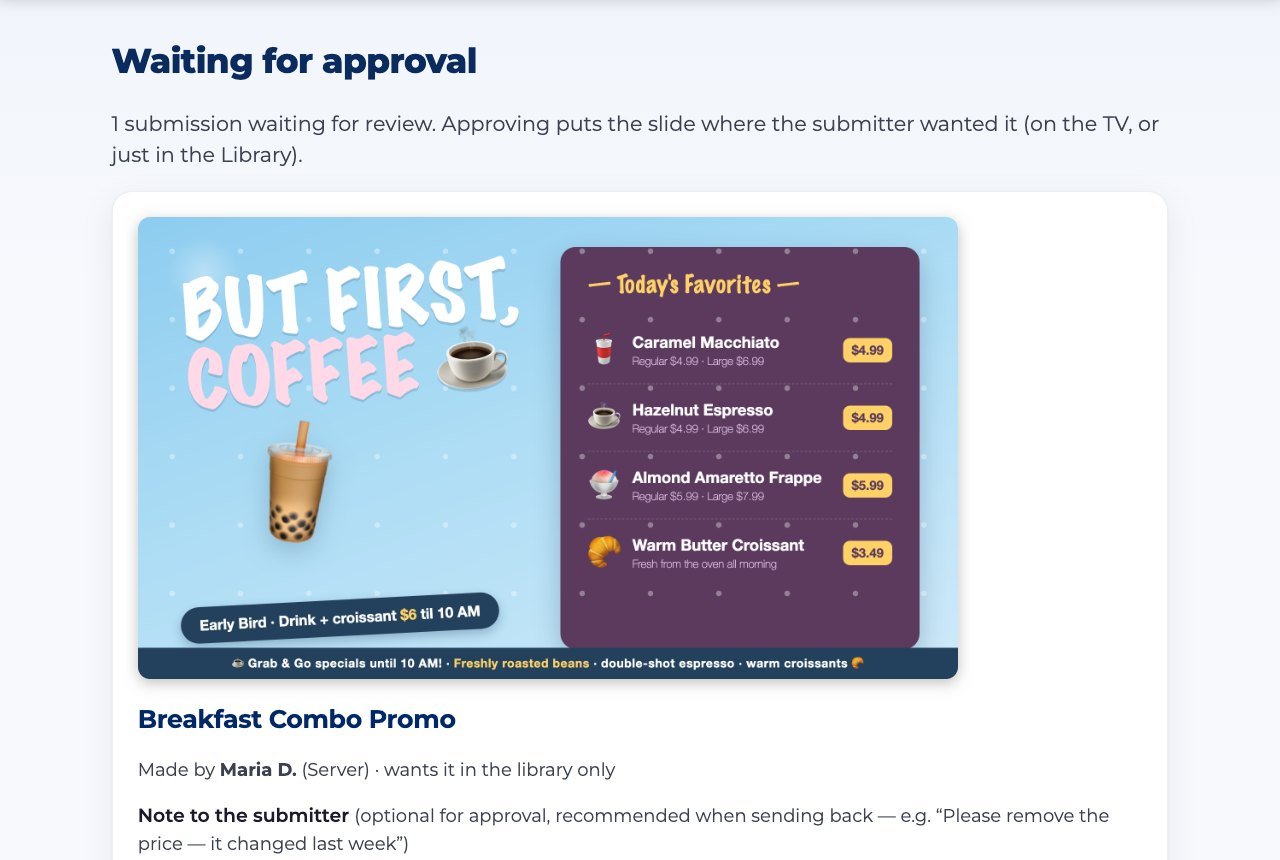
Compliance messaging has a failure mode nobody talks about: someone "improves" the wording, and now the screen says something legal never signed off on. We built the lock for that.
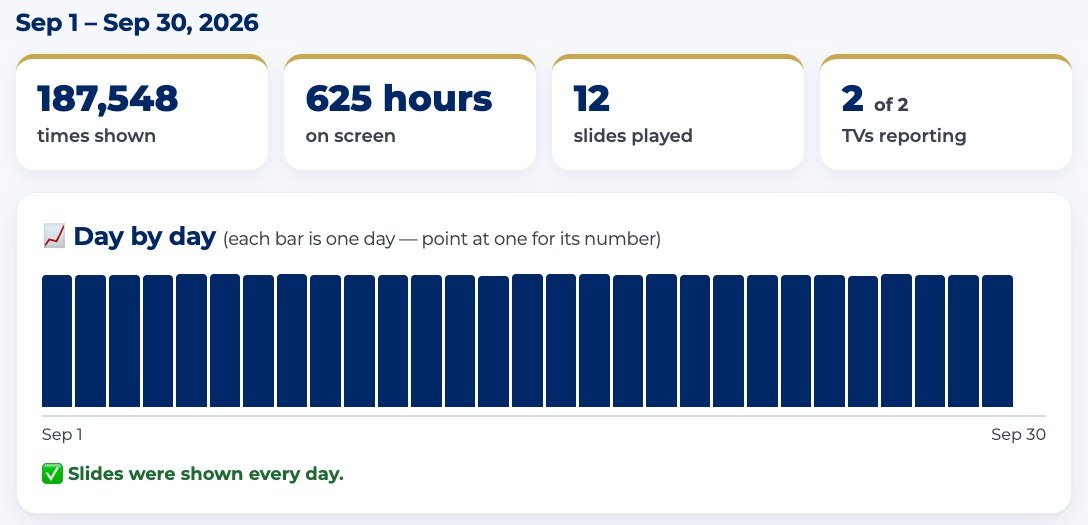
Each TV counts every display of every message, every day — even while it was offline (it reports when it reconnects). That becomes your record.
What each tool does, what your staff actually do, and a real example — so you know exactly what you're getting.
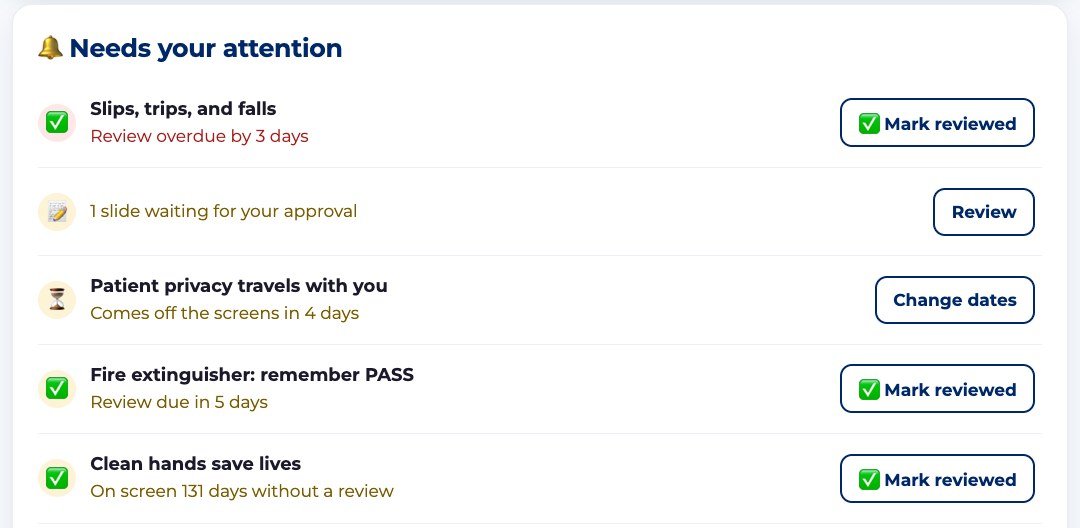
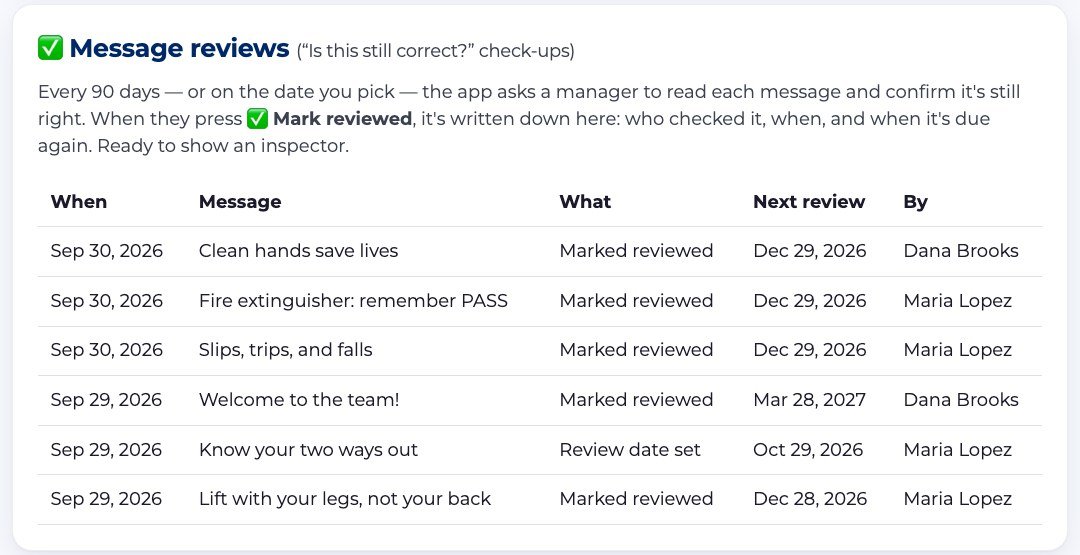
An old procedure on a TV is worse than none. Every 90 days — or on a date you pick — the app asks a manager to read each message and confirm it's still right. Nothing is checked automatically: a person looks, and the app writes down that they did.
Example: Your hand-hygiene steps went up in March. In June the Home page says “Review due in 5 days.” Maria reads it — still right — and taps Mark reviewed. The record now shows “Jun 3 · Clean hands save lives · Marked reviewed · next Sep 1 · Maria Lopez” — ready for the next inspection.
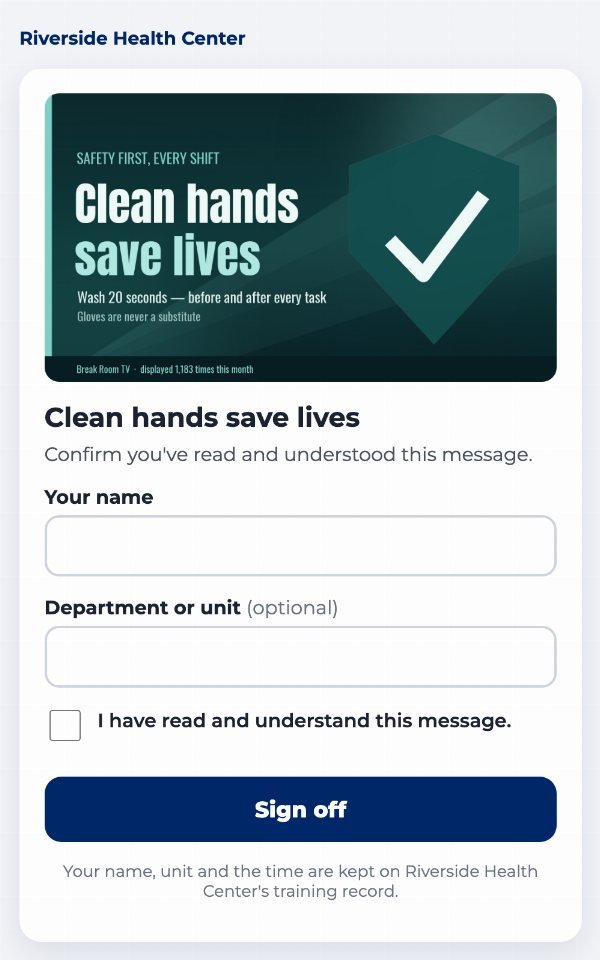
For the messages everyone must read — a new procedure, a policy change — put a sign-off QR code on the slide. Staff confirm they read it from their own phone. No app to install, no login.
Example: The eyewash station moved. You post it with a sign-off code on Monday; by Friday, 23 of your 26 staff have signed. You know exactly which three to catch at the next huddle.
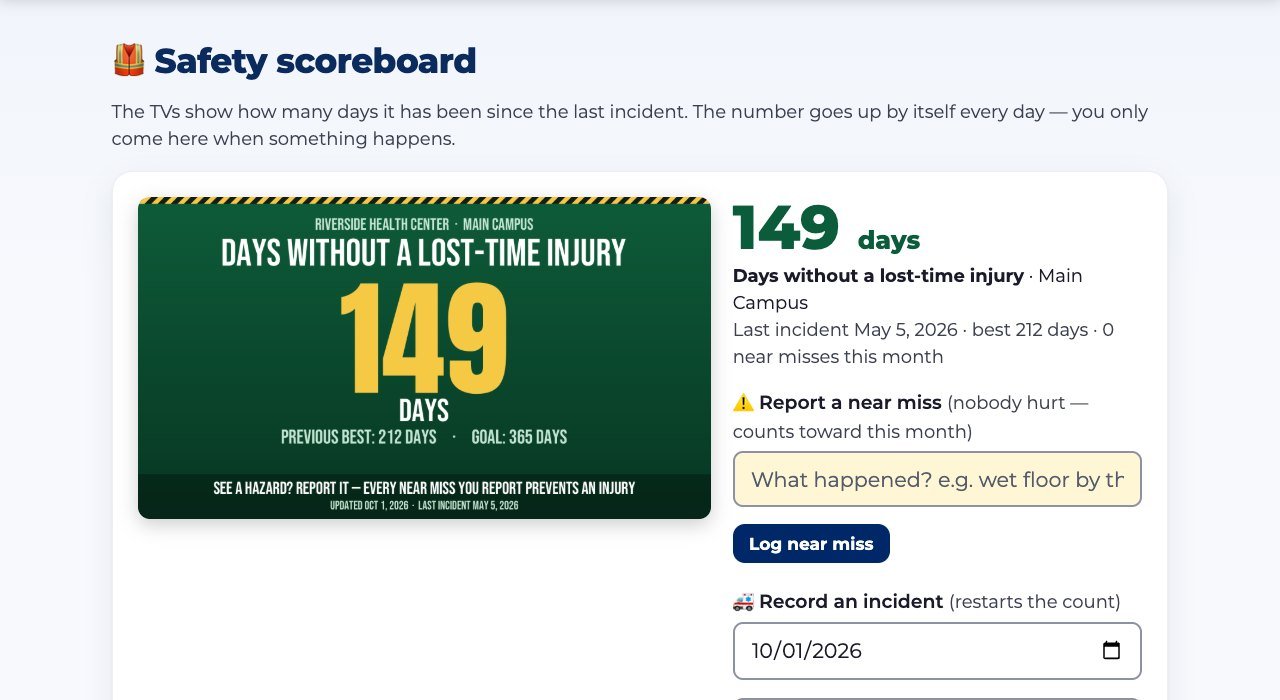
A scoreboard slide that goes up by one every day, on every TV, without anyone touching it.
Example: “147 days without a lost-time injury · previous best 212 · 1 near miss reported in September — thank you for speaking up.”
For wording that legal, HR or infection control approved word-for-word.
Example: Your bloodborne-pathogens notice was approved exactly as written. A well-meaning staff member can't shorten it to “be careful with needles.”
Each TV counts every showing of every message, every day — even while its internet was down (it catches up when it reconnects).
Example: “Clean hands save lives — shown 15,700 times on the Break Room and Nurses Station TVs, every day from Sep 1 to Sep 30.”
You pick the topic — it’s built for you.
Type the safety message and the slide is made for you. The days-without-an-injury scoreboard keeps its own count.
Built around proof.
A safety scoreboard that counts itself, “Is this still correct?” check-ups Pro, and a home page that shows what’s about to go stale.
Every message is approved — and on the record.
Who made each slide and who approved it is recorded on every one, so the report shows the whole chain.
Probably nothing.
Use the TVs you already have: plug in a $20 streaming stick or open a web browser on a smart TV. One price for your whole business, every location included.
When the inspector asks, print the week. Pro
A one-click audit report lists every showing, sign-off and check-up for any dates you pick.
Yes — it’s your brand, not ours.
Your colors, logo and artwork. Upload a background, mark where the words go, and every slide lands there. Our name never appears on your slides.
In a 15-minute demo we'll turn it into a slide, put it on a screen, and show you the report.
Honest fine print, from a compliance company: a display record shows your messages ran — it supplements a required training program, it doesn't replace one.