IT'S NOT SIGNAGE. IT'S HELP.

Type it.
It’s on your TVs.

Your TVs are already on the wall — right now they're just furniture. Slides to TV makes your announcement slides and puts them on your screens, automatically. No designer. No IT person. And it never goes blank.

1 Make it
2 Show it
3 Prove it
  • We create the slide — not just play what you designed somewhere else.
  • Already have slides in PowerPoint? Upload the whole deck — every page becomes a slide.
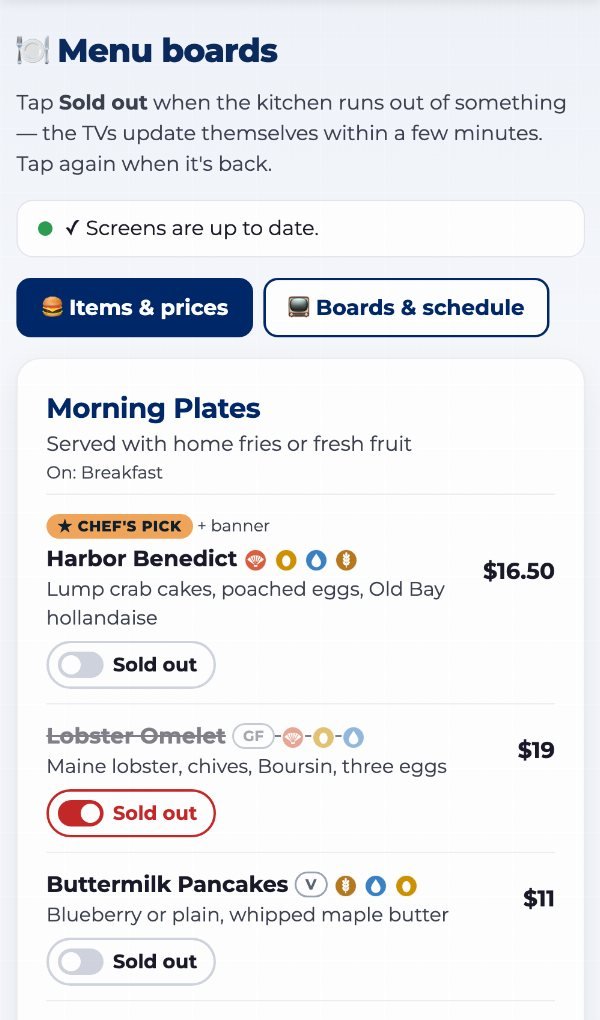
  • Post "today's specials" from your phone — it scrolls across every TV in minutes.
  • Keeps playing through internet outages, and every screen proves what it showed.
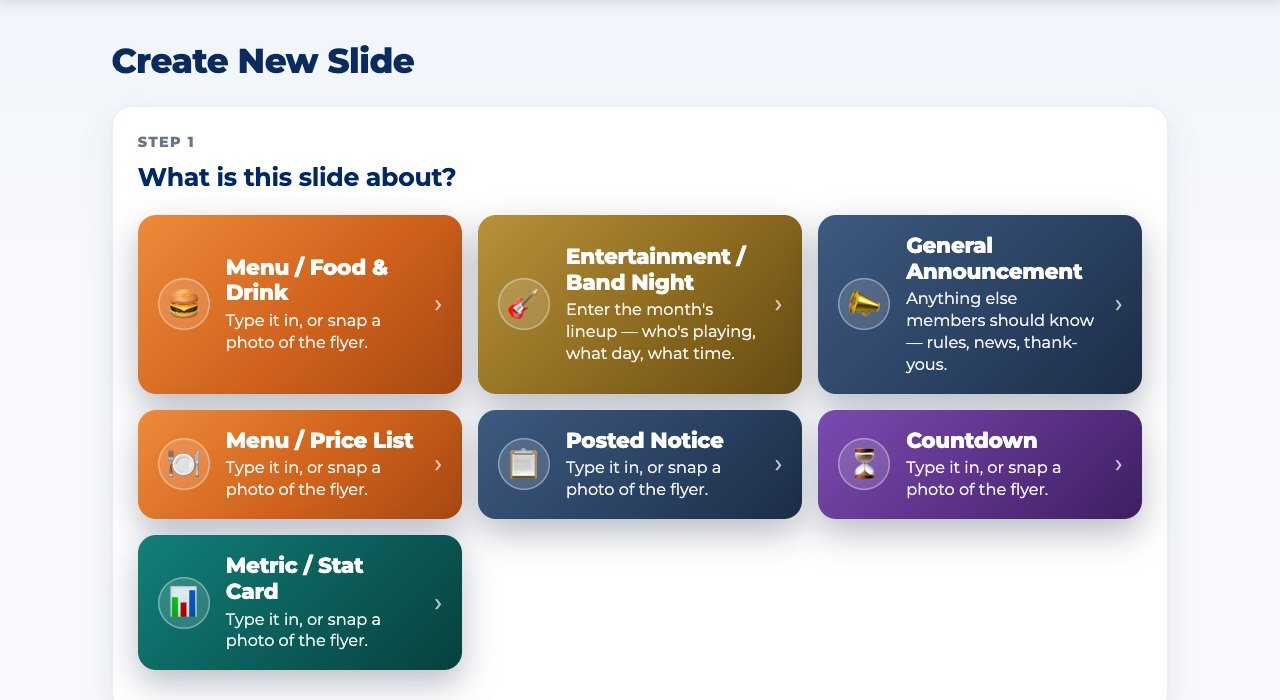
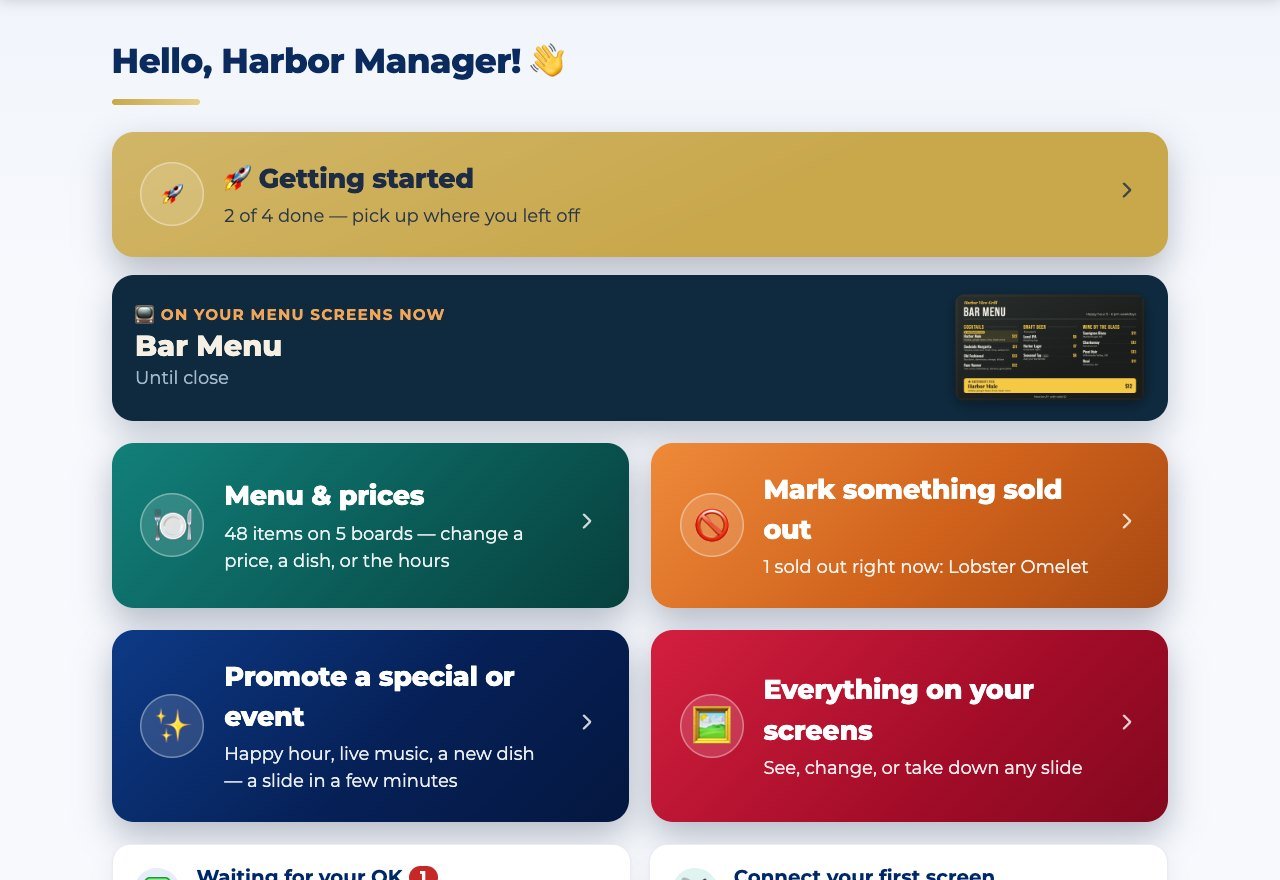
⤢ Tap to enlarge The actual Create screen — answer a few plain questions and the AI builds the slide

👆 This is the real app — not a mock-up.

We test everything on the least technical person in the building, not the most. If your least technical person can't use it, we consider it broken.

Watch it work with your own content in a 15-minute demo →

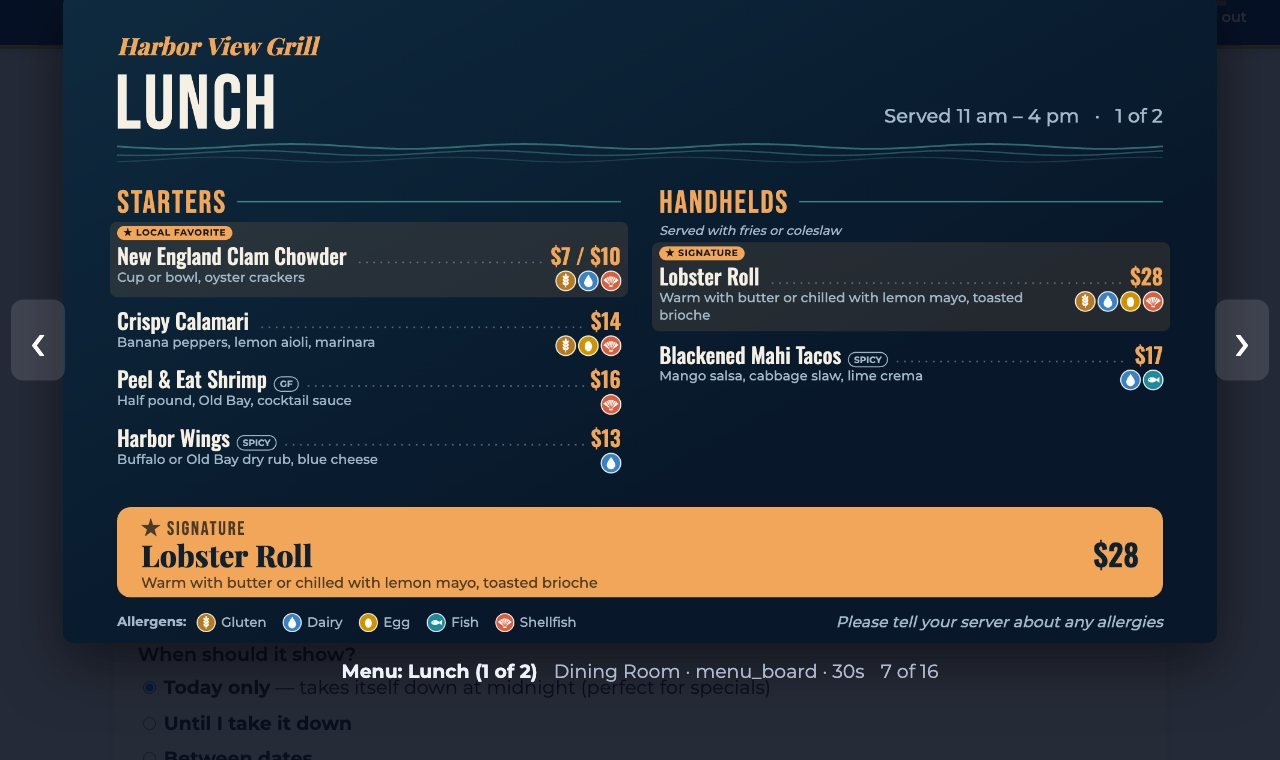
⤢ Tap to enlargeA finished announcement slide playing on a TV
1,240
displays last month
4h 12m
on screen

⤢ Tap the TV to see the slide full-size

THE DIFFERENCE

Everyone else just plays your content. We make it — and prove it played.

Other signage tools hand you an empty screen and expect you to design slides somewhere else and upload them. Slides to TV asks a few plain-language questions and builds the slide for you, then delivers it to the right TVs. And every screen reports back exactly what it showed — the receipt that lets you sell ad space or file it for compliance.

THREE WAYS IT PAYS FOR ITSELF

Every day your screens sit dark, you're leaving one of these on the table.

The same screens work three ways — pick the one that's costing you the most right now.

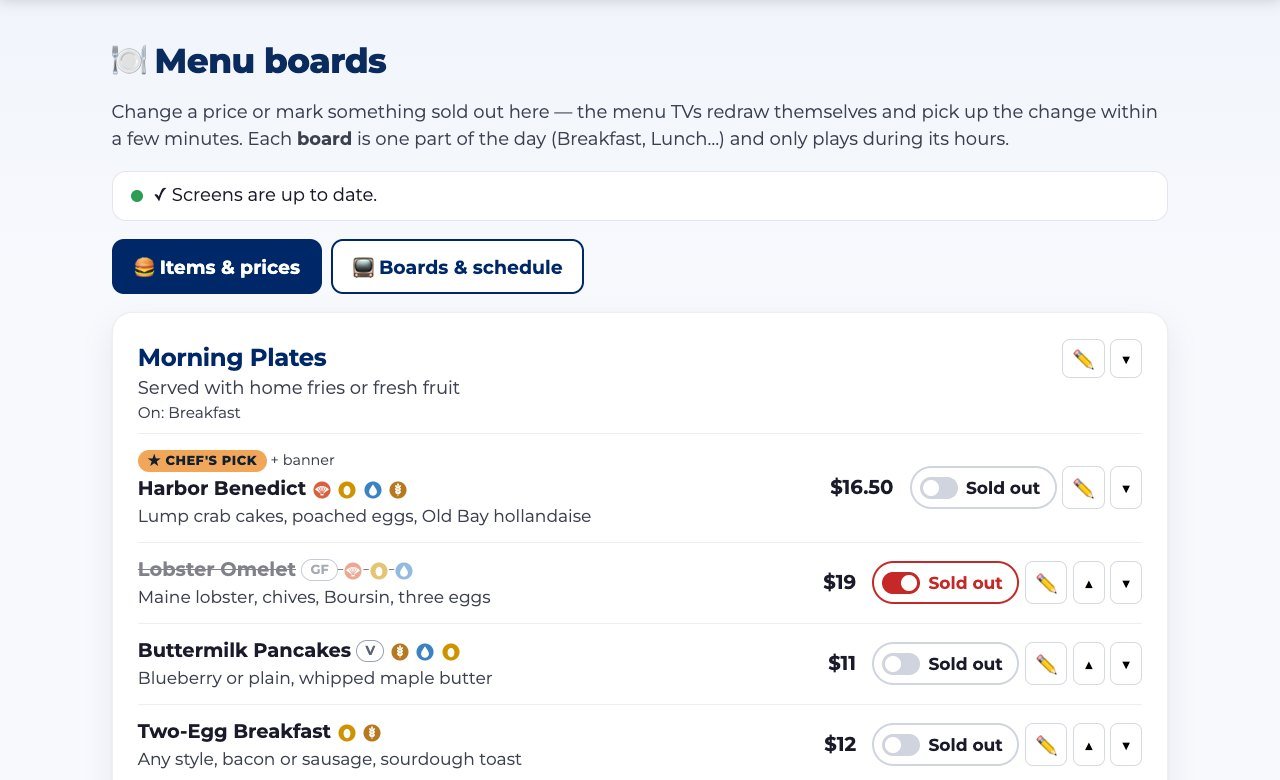
A café menu board on a TV

🍽 Menus & specials that run themselves

Restaurants & cafeterias: change a price once and every board updates, post tonight's special from the kitchen in seconds, and keep every screen on-brand — no matter who's on shift.

🍽 The restaurant story →
⤢ Tap to enlarge

📣 Turn your TVs into ad revenue

Posts, clubs, and restaurants: sell ad slots to local businesses and hand each advertiser a monthly report — proving their ad ran, and now delivered to their own inbox automatically. Add a scannable QR code and they get trackable clicks too. A few ad slots can pay for the whole service and then some.

💵 The advertising story →
⤢ Tap to enlarge

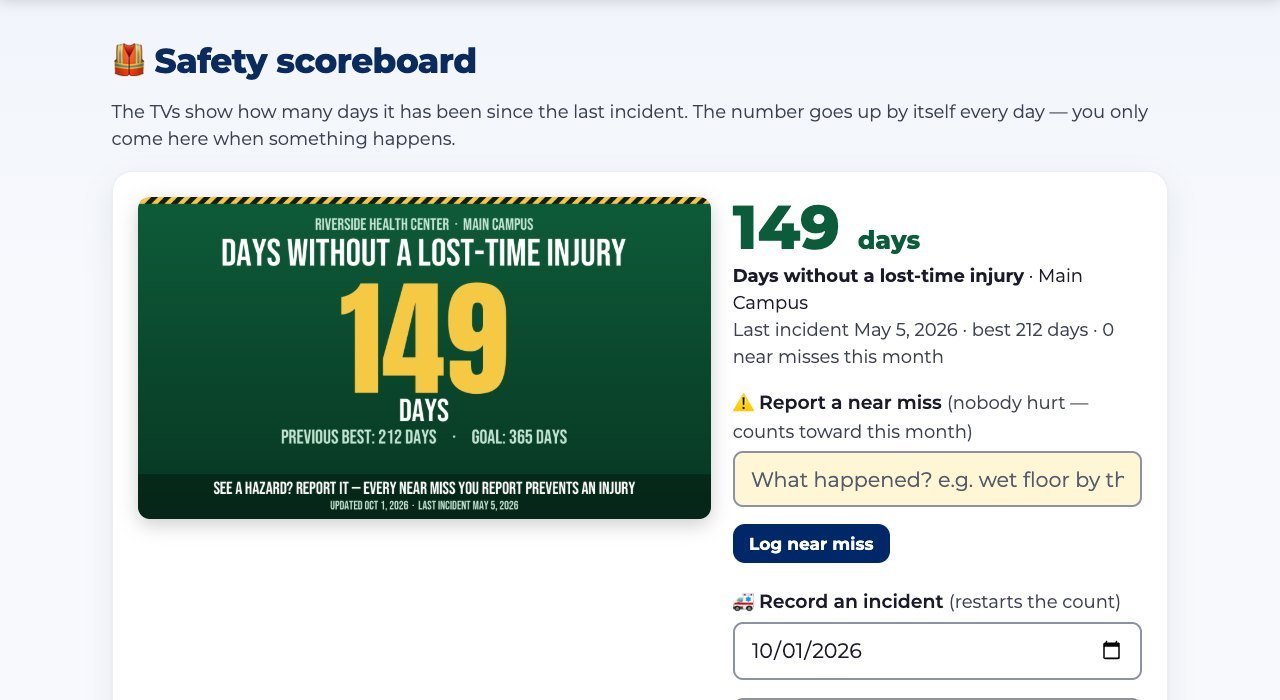
🛡️ Document your safety & training

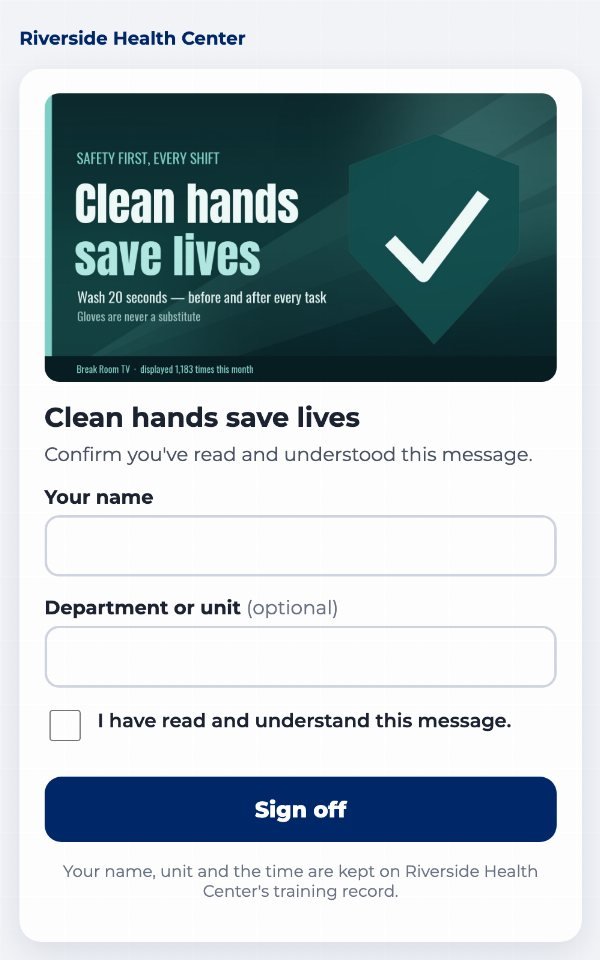
Clinics and workplaces: loop safety, hygiene, and HR reminders in break rooms, and get an automatic monthly record showing your messages ran — audit-ready evidence that supplements your training program. And when something can't wait, one alert takes over every screen in seconds.

🛡️ The compliance story →
HOW IT WORKS

Three steps. That’s the whole thing.

1

Make it

Answer a few questions or start from a template. AI artwork or classic styles — a finished slide in about a minute.

2

Show it

Connect any TV with a short code — a cheap streaming stick or a browser. Pick which screens play it. Done.

3

Prove it

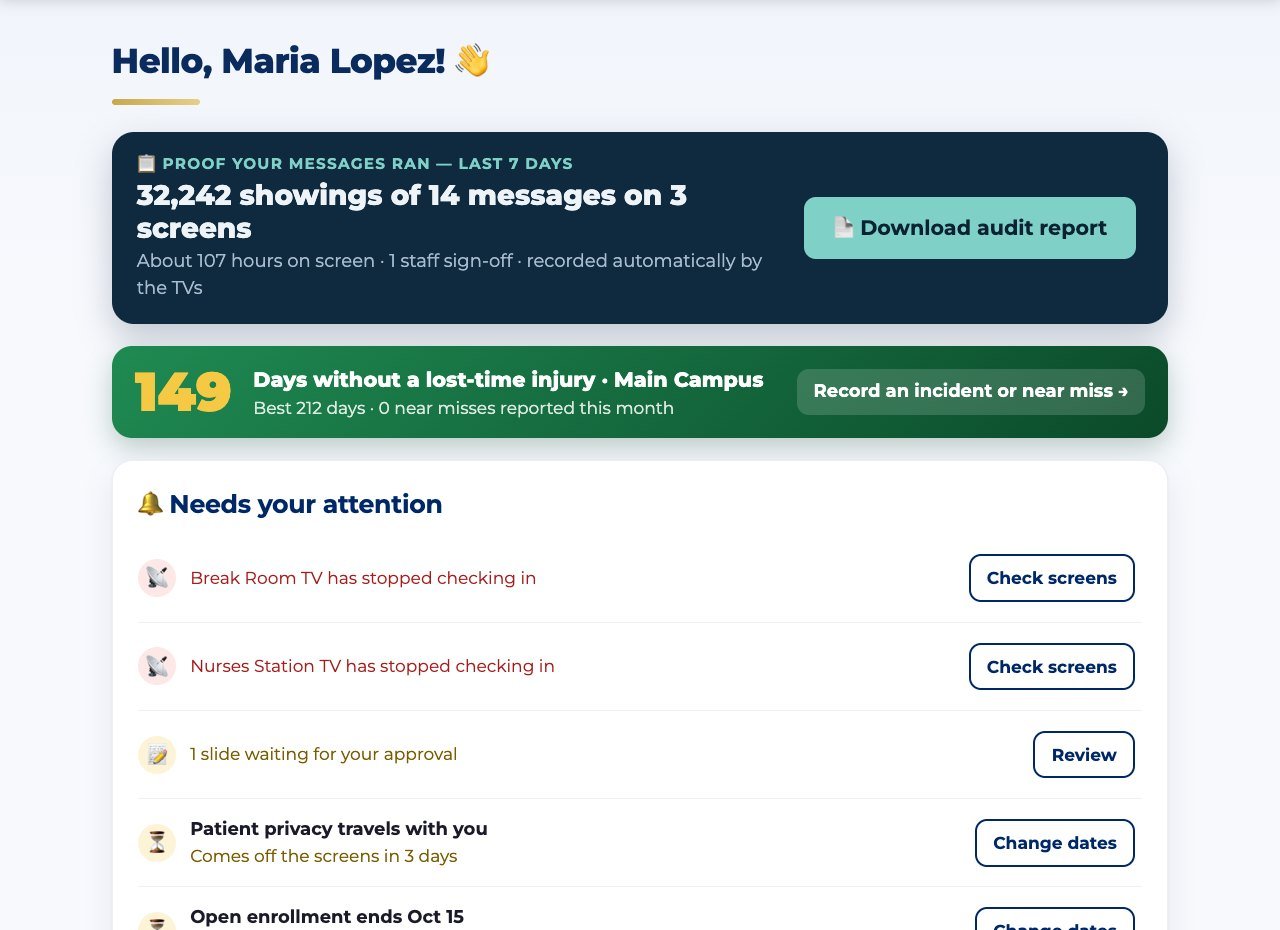
Every screen reports what it displayed. Print it, email it monthly, or hand an advertiser their numbers.

A LIVE LOOK INSIDE

This is the actual app — not a mock-up.

Plain words, big buttons, one page for everything. What you see is what your volunteers get. Tap any picture to see it full-size.

⤢ Tap to enlarge Make a slide by answering plain questions

Create — answer a few questions, the AI does the rest

⤢ Tap to enlarge The TV dashboard with the message bar

Your screens — live status, rotations, and the message bar

⤢ Tap to enlarge The Reports page with real display numbers

Reports — the receipts that prove it all played

Take the full tour of the app →

EVERYTHING INCLUDED

The little things that make your screens feel alive.

No add-on fees, no upgrade tiers for the good stuff — every subscription gets all of it.

📊 Bring your PowerPoint

Save your deck as a PDF and upload it — every page becomes a slide. Edit the deck later and re-upload: the slides on the TV update in place, keeping their schedule and screens. Free PowerPoint templates included, and our AI can even read an imported slide and turn it into one you edit right here.

📢 The message bar

Type "Today's soup: chicken tortilla · Happy Hour 4–6" on your phone and it scrolls across the bottom of every TV within minutes — over your slides, without touching them. Schedule it for breakfast or lunch only, pick which screens carry it, make the big news shout in large letters. It even takes itself down at midnight.

🕐 Clock & local weather

The corner of the bar shows the time and your local temperature — the two things everyone glances at a screen for. Set your ZIP code once; it stays current all day, every day.

📱 A real TV app

Our player is on Google Play — install it on a $20 streaming stick, type one code, and it restarts itself after power cuts and keeps playing through internet outages. Or just open a browser on any smart TV.

See everything that’s included →

YOUR DASHBOARD

Run every screen from one simple page.

This is the real thing — an organization’s TV Content dashboard. Each screen group has its own card: which TVs are online, what’s playing right now, and the rotation in play order.

  • Green dot = the TV is online, with “now playing” beside it.
  • Reorder with arrows or type a position number — no dragging.
  • One red button takes a slide off every screen at once.
⤢ Tap to enlarge
The Slides to TV organization dashboard showing a screen group, its online TV, and the slide rotation
A lighthouse holding its beam through a storm at night
OUR STORY

A tradition of service. The light stays on.

Slides to TV comes from a tradition of service. Its owner and operator is a Coast Guard veteran — and if the Coast Guard teaches you anything, it’s that the light stays on, no matter what. Its first home was a community post full of people who volunteer their evenings: running kitchens, hosting events, looking after their own. Every signage tool they tried assumed a designer, a tech person, and time nobody had. So we built the opposite — screens that pull their own weight. Type what’s happening and it’s on your TVs: made for you, never going dark, with proof of everything that played. It runs that post’s lounge today, and now it can run yours.

SIMPLE, PER-LOCATION PRICING

No per-TV toll. Priced for your whole place.

Add as many screens as your plan includes — we don’t nickel-and-dime you per TV.

Community
Starting at
$39/mo
Posts · lodges · clubs
  • One location · up to 5 screens
  • Creation studio + approvals
  • Screen groups, scheduling & message bar
  • Display reports
  • Email support
Compliance
Starting at
$79/mo
Clinics & workplaces
  • One location · up to 8 screens
  • Everything in Community
  • Monthly display record, filed automatically
  • Locked approved wording
  • Phone + email support
  • Built for audits — see why →
Enterprise
Priced per location
Custom
2+ locations · chains
  • Per-location pricing, volume discounts
  • Consistent branding across locations
  • White-label option
  • Priority support

Prices are per location, per month · Annual billing available

🤝
Want it all done for you? Concierge setup. We connect your TVs, bring in your slides, and train your people on a call — one-time fee, and your screens are live before we hang up.
Ask at your demo →